Making Learning More Interactive, Inclusive and Engaging

Imagine a classroom wall bursting into life with colourful animations, playful interactions and exciting sensory experiences! The SENse Halo is innovative interactive sensory projector for schools, using interactive projection to transform ordinary spaces into engaging worlds where SEND pupils can explore, discover, learn and play.

What is the SENse Halo?

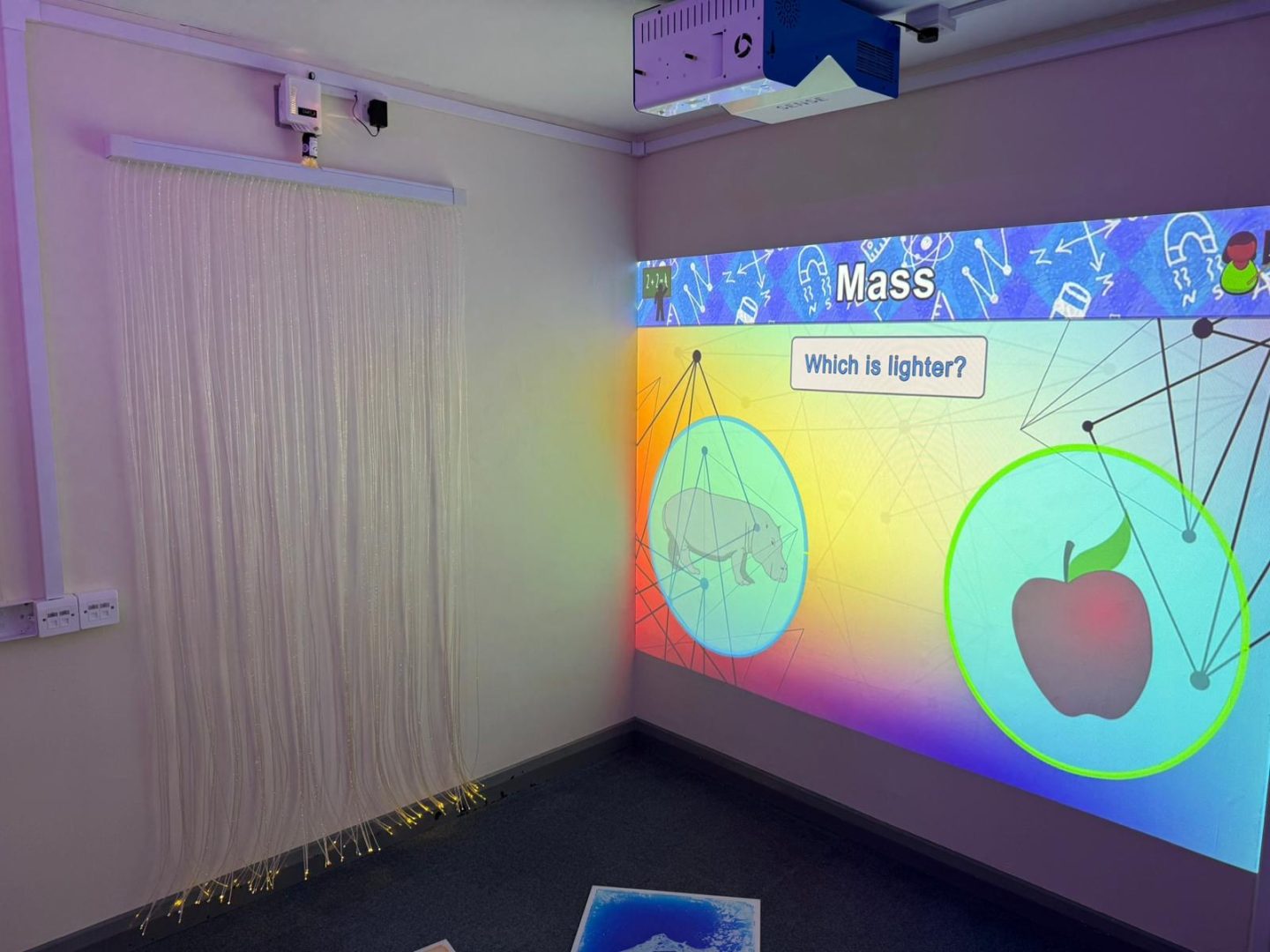
The SENse Halo is an all-in-one interactive projection system that turns a standard wall into an interactive surface.

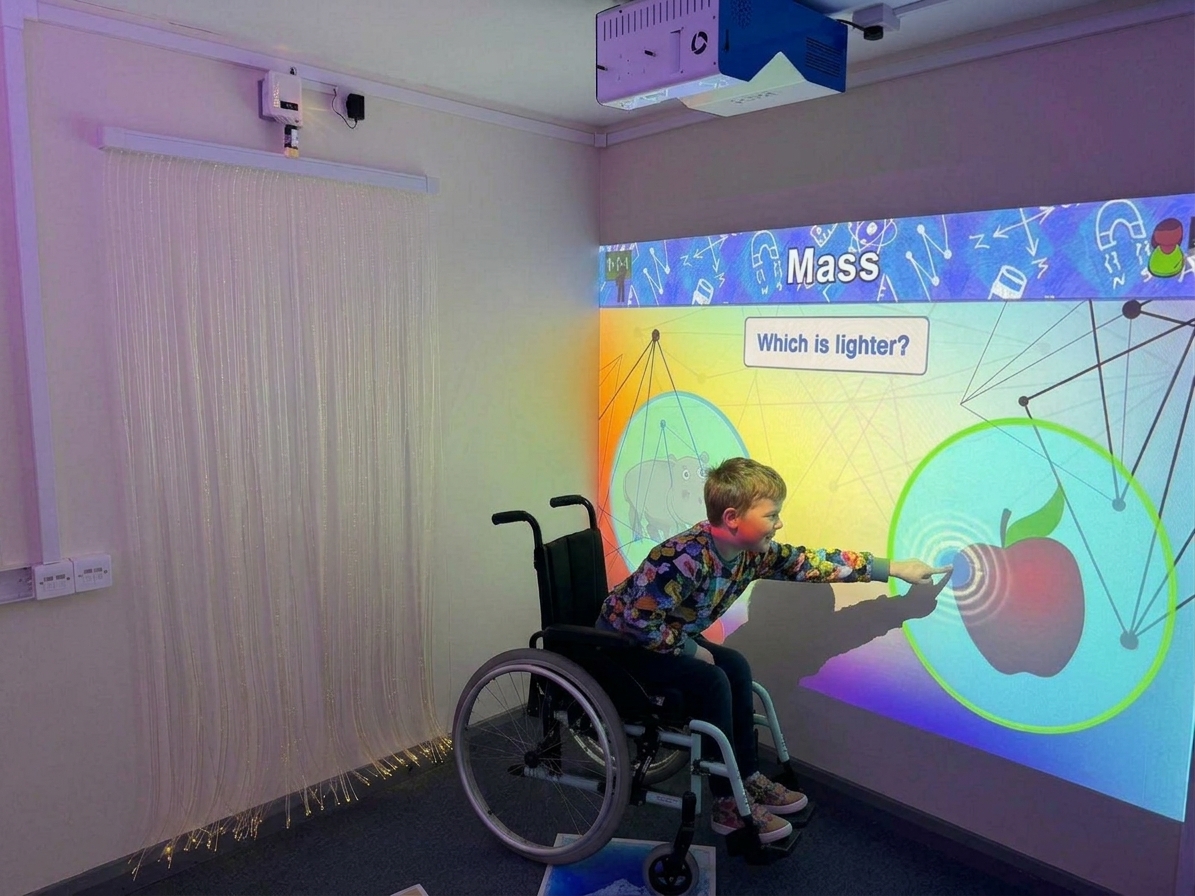
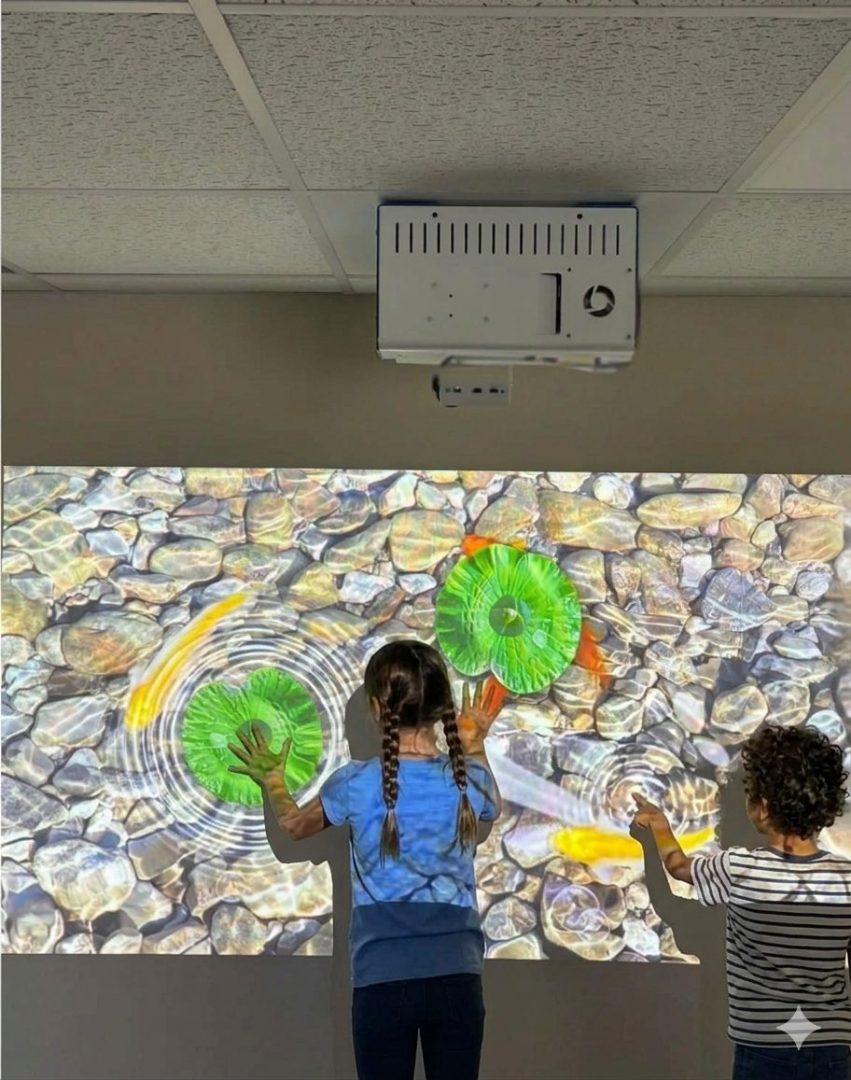
Using camera-based touch technology as standard, pupils can interact directly with projected activities simply by touching the wall. Their movements trigger immediate visual responses, creating an engaging experience built around exploration and participation.

For pupils who may have limited mobility, even small movements can create a response, opening up opportunities to participate in activities in a way that suits their individual abilities.

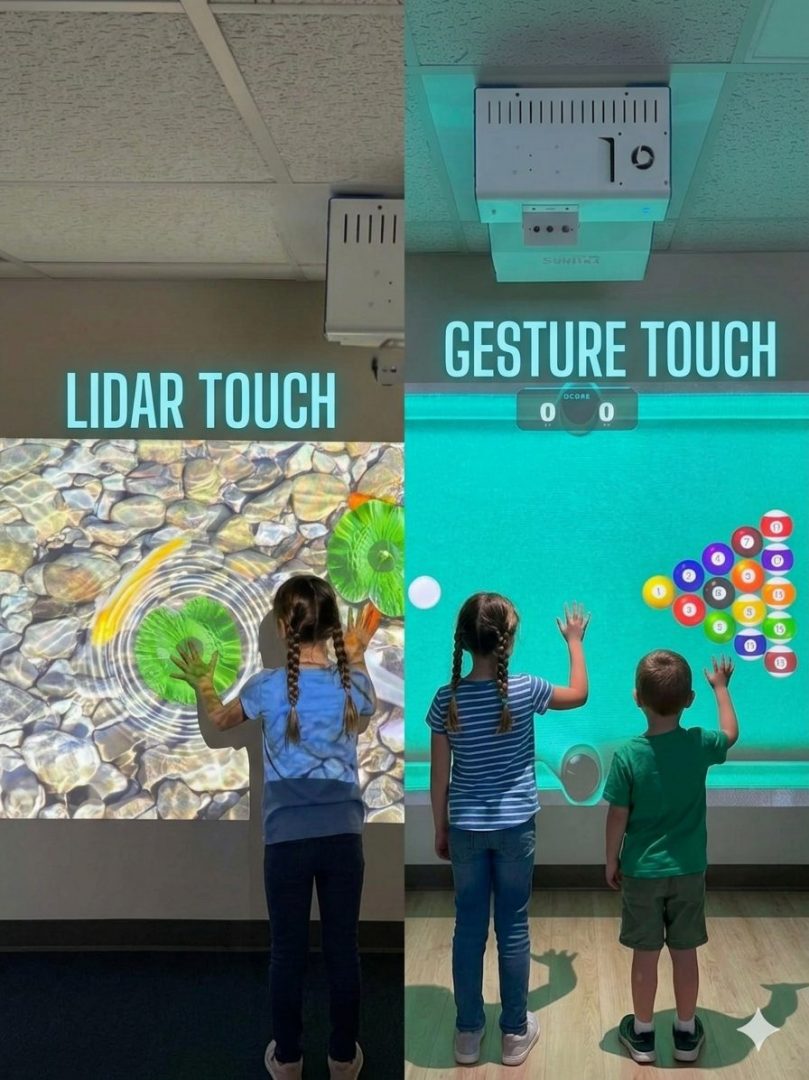
There are also optional interaction upgrades, including LiDAR Laser Touch and Gesture Interaction, providing additional ways for pupils to engage with projected content.

Its compact, ceiling-mounted design also makes it a practical addition to classrooms, sensory rooms and specialist learning spaces without introducing additional floor-standing equipment.

What Is Interactive Projection?

Interactive projection is an innovative sensory technology that transforms everyday surfaces into engaging, interactive experiences. Using a projector and advanced sensors, it detects movement and responds instantly, allowing pupils to interact with digital content through touch, gestures and physical movement.

Within school and SEND environments, interactive projection provides exciting opportunities to support learning, sensory exploration and pupil engagement. Teachers can use educational games, interactive quizzes, storytelling and movement-based activities to bring subjects to life. For example, pupils can explore numbers and letters, practise phonics, solve puzzles, pop virtual bubbles or interact with colourful sensory environments that encourage curiosity, creativity and discovery.

Furthermore, unlike traditional screens, interactive projection encourages pupils to move, collaborate and actively participate in learning. For pupils with additional needs, it can offer alternative ways to engage with activities, explore cause and effect and develop communication, coordination and cognitive skills. As a result, it provides a versatile interactive learning technology solution that supports more inclusive, engaging and accessible learning experiences across the curriculum.

Supporting Different Learning Styles and Abilities

In SEND education, creating opportunities for every pupil to participate is incredibly important.

Some pupils respond particularly well to visual stimulation, while others benefit from physical interaction, repetition or immediate feedback.

The SENse Halo offers an alternative way to explore activities, helping teachers introduce learning experiences that go beyond traditional worksheets, screens and classroom resources.

With the SENse Halo, pupils can:

  • Explore colours, shapes, patterns and movement.
  • Develop an understanding of cause and effect.
  • Practise recognition, matching and sorting.
  • Engage with interactive games and activities.
  • Explore movement through reaching, pointing and touching.
  • Participate in shared activities with classmates and teaching staff.

The ability to adapt activities and interaction methods makes it a flexible resource for pupils with different interests, abilities and support requirements.


Encouraging Sensory Exploration and Cause-and-Effect Learning

Sensory experiences can play an important role in helping pupils explore and interact with their environment.

The SENse Halo provides a responsive visual experience where pupils can see the results of their movements and actions.

Imagine a pupil touching a projected underwater scene and watching the water ripple, or reaching towards colourful bubbles as they move across the wall.

These simple interactions can create opportunities to explore cause and effect, encourage curiosity and support engagement.

For pupils who find it difficult to engage with conventional learning activities, the immediate visual feedback can offer another way to participate.

Teachers and support staff can also use these activities as part of structured sessions, adapting the experience to suit individual learning objectives.

More Ways to Interact with LiDAR and Gesture Upgrades

Every pupil has different physical abilities and preferences, so having alternative ways to interact can be particularly valuable.

The SENse Halo offers two optional interaction upgrades.

LiDAR Laser Touch

The LiDAR upgrade introduces laser-based touch technology, providing enhanced precision and responsiveness.

This can be useful for activities where accurate interaction is important, helping pupils engage with projected content through clear and immediate responses.

Gesture Interaction

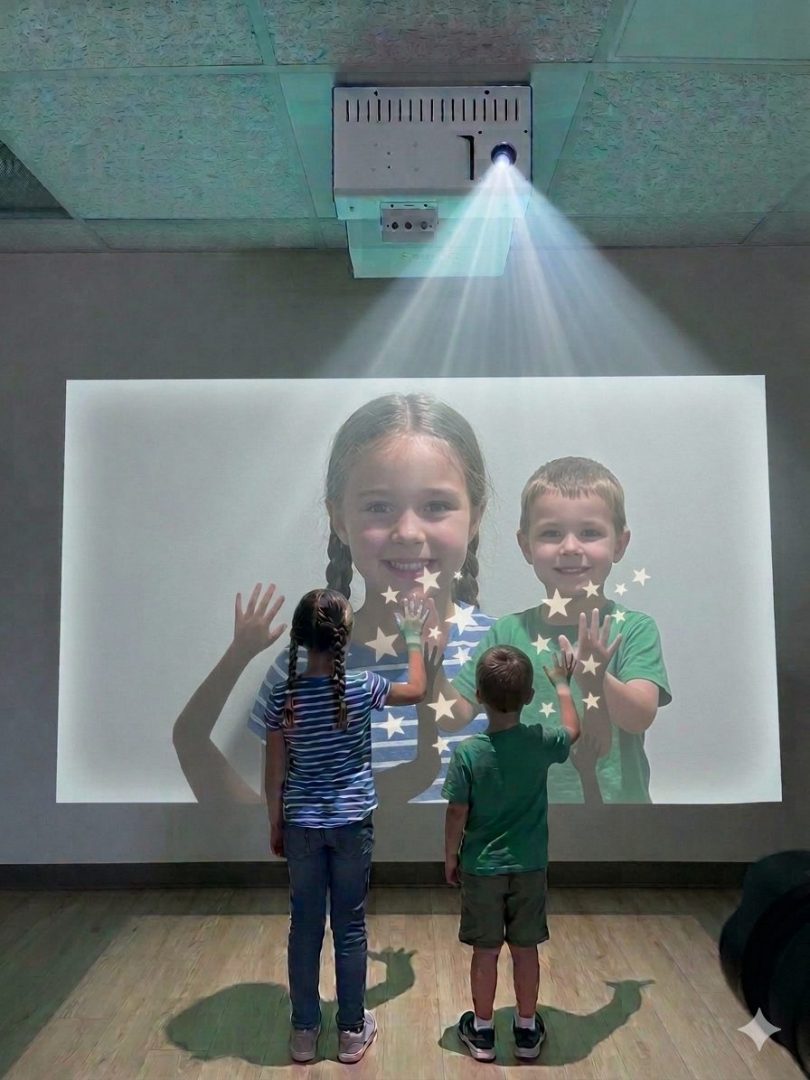
For pupils who may find physical contact with the wall challenging, Gesture Interaction provides a contactless alternative.

Using natural hand and body movements, pupils can interact with activities from a distance without needing to touch the projected surface.

The Gesture upgrade also introduces an augmented reality experience, allowing pupils to see themselves within projected activities and interact with the content.

For even more creative possibilities, Gesture Pro adds features including Green Screen, Mist Mode and Hand Auras.

These options provide schools with different ways to adapt interactive experiences to the needs of their pupils.
Over 500 Activities with the Imaginate Suite

An interactive system is only as useful as the activities available to pupils.

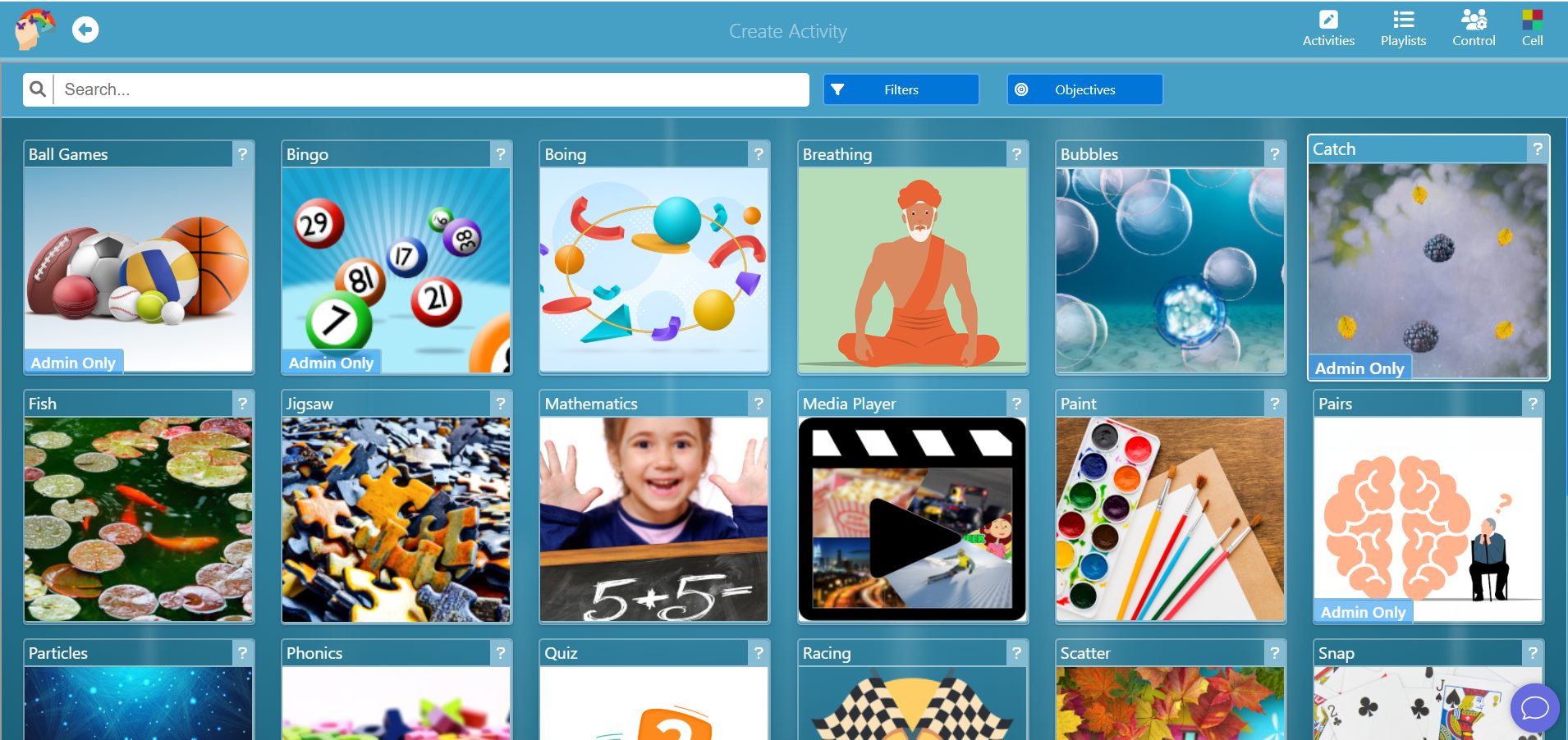
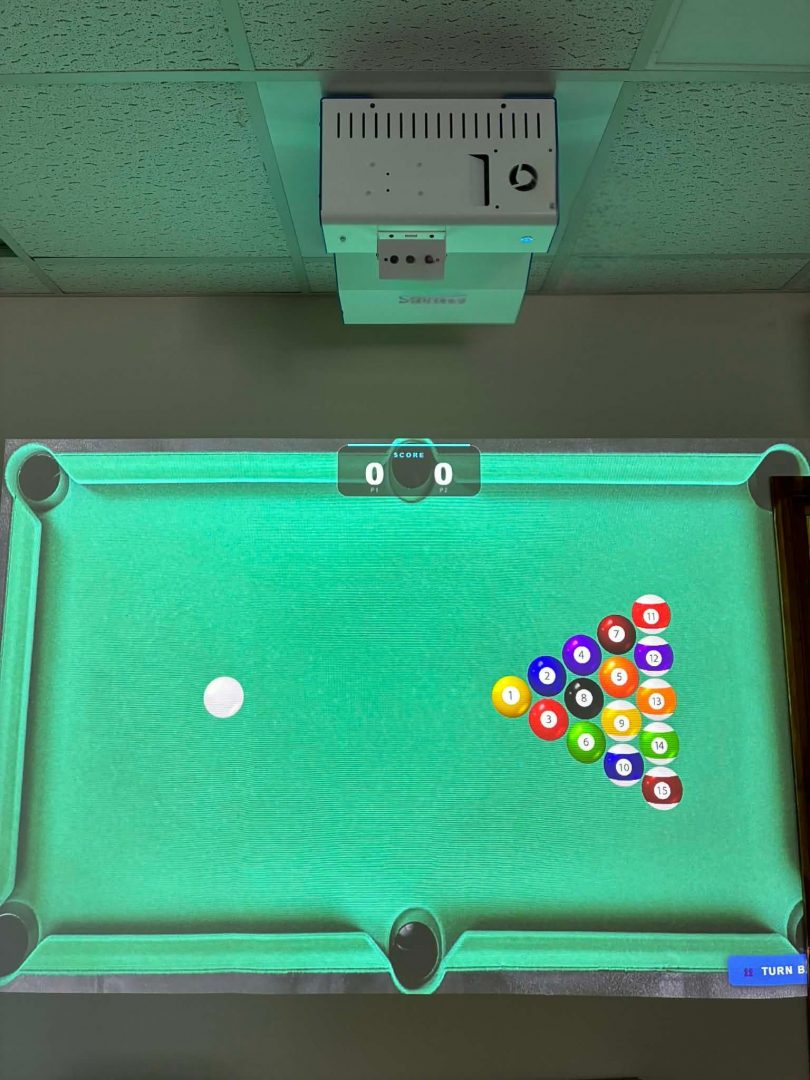
The SENse Halo includes access to the Imaginate Suite, offering around 500 ready-made interactive activities covering a wide range of educational, recreational and sensory experiences.

Activities include:

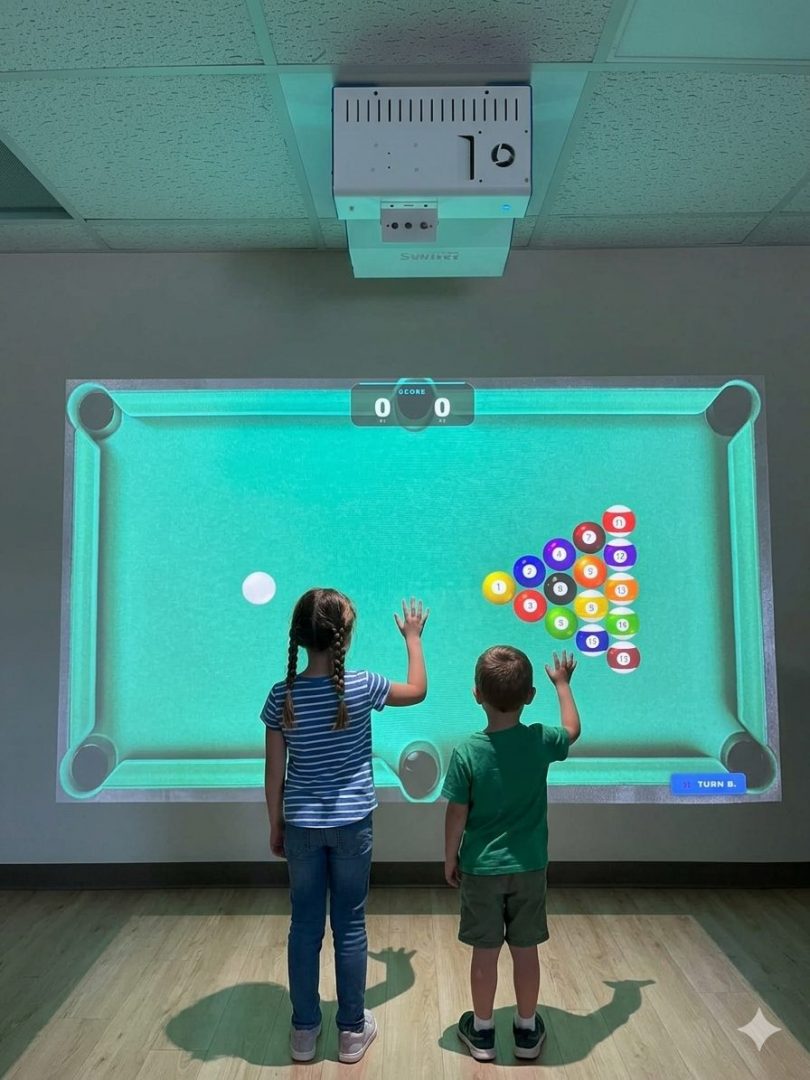
  • Interactive quizzes and games.
  • Card games
  • Jigsaws and word searches.
  • Number and literacy-based activities.
  • Storyboards and interactive presentations.
  • Bubbles, water ripples and particle effects.
  • Painting and creative activities.
  • Sensory cause-and-effect experiences.

This variety means teachers can use the SENse Halo for more than just sensory play.

It can become a flexible classroom resource, supporting opportunities for learning, exploration and shared activities.

Personalise Activities to Suit Your Pupils

No two pupils are the same, and the ability to personalise activities can be particularly useful in SEND environments.

Through the Imaginate online Editor, teachers and professionals can create and customise activities using their own images, sounds and videos.

This opens up opportunities to develop resources around individual interests, familiar objects, classroom topics or specific learning objectives.

For example, teachers could create activities using:

  • Photographs of familiar people, places or objects.
  • Images linked to a current classroom topic.
  • Visual resources to support recognition and matching.
  • Familiar symbols and pictures to encourage interaction.
  • Personalised content based on individual interests.

The Instant Activity Wizard also makes it easy to turn collections of images into personalised activities.

This flexibility allows the SENse Halo to become more than a collection of ready-made games. It can be adapted to support the pupils and learning activities within your school.

Making Better Use of Classroom and Sensory Room Space

Space is often an important consideration when planning SEND classrooms and sensory environments.

Equipment needs to be accessible, practical and suitable for the way pupils use the room.

The SENse Halo’s ceiling-mounted design offers a neat, uncluttered solution, with installation options that allow it to replace an existing ceiling tile or use a projector mount.

By transforming an existing wall into an interactive surface, schools can introduce another learning resource without adding more freestanding equipment to the room.

It can be used in a dedicated sensory room, a specialist classroom or another suitable learning environment.

Why Consider the SENse Halo for Your School?

For schools and SEND professionals looking to introduce more interactive learning opportunities, the SENse Halo brings together several useful features in one system.

Key benefits include:

  • Interactive wall projection with camera-based touch technology as standard.
  • Optional LiDAR Laser Touch and Gesture Interaction upgrades.
  • Around 500 ready-made activities through the Imaginate Suite.
  • Opportunities for sensory exploration and cause-and-effect learning.
  • Customisable activities using your own images, sounds and videos.
  • A compact, ceiling-mounted installation.
  • Applications across sensory rooms, specialist classrooms and educational environments.

Most importantly, it provides another way for pupils to explore, interact and participate, helping teachers create engaging experiences that can be adapted to different abilities and learning needs.

LOVE WHAT YOU SEE?

Explore Our Online Shop

Discover our collection of products, find something special and shop with us online.

You may also be interested in